
AI Meeting Assistants in 2026: Otter, Fireflies and ZoomMate Compared
Table of Contents
01 Event
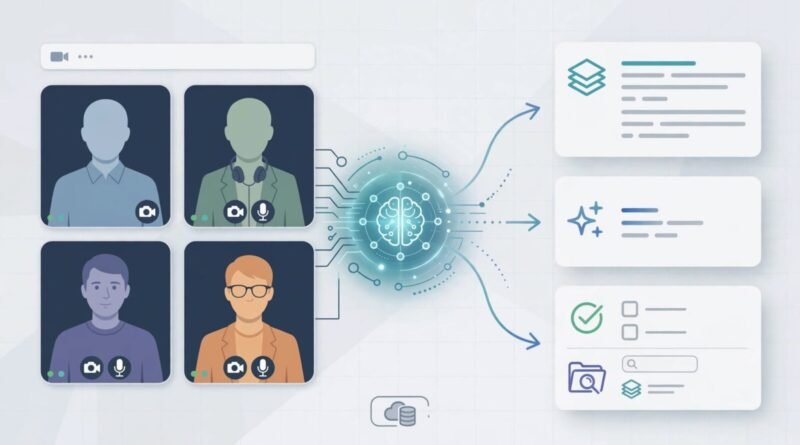
AI meeting assistants promise to turn calls into transcripts, summaries, action items and searchable records. The category sounds simple, but current products differ sharply in what they meter: transcription minutes, storage, AI credits, meeting limits, or access bundled into a broader collaboration plan.
That makes “best meeting assistant” the wrong first question. The better question is whether you need a dedicated recorder and searchable meeting archive, or whether the AI already included in your meeting platform is enough.
This comparison uses current official plan information for Otter, Fireflies and Zoom’s current ZoomMate offering.
02 What Changed?
Otter’s current pricing page lists a free Basic plan with 300 monthly transcription minutes. Pro is $16.99 per user per month on monthly billing, or $8.49 per user per month on the annual option shown on its current page. Pro includes 1,200 transcription minutes and up to 90 minutes per meeting, plus advanced search, export and meeting workflows.
Fireflies uses a different model. Its current plan page lists Free at $0, Pro at $18 per seat monthly or $10 per seat per month billed annually, and Business at $29 monthly or $19 annually. Fireflies advertises unlimited transcription on Pro and above, along with unlimited AI summaries on paid plans, while storage and AI-credit allowances vary by tier.
Zoom has moved further toward bundling AI directly into the collaboration platform. Its current ZoomMate page says the free Basic tier includes meeting summaries for three hosted meetings per month, in-meeting questions for three hosted meetings, AI note-taking for Zoom and third-party meeting platforms for three uses per month, and 20 AI queries monthly.
Zoom has also historically included AI Companion capabilities at no additional cost with eligible paid Zoom services; its current product structure expands that AI layer through ZoomMate and higher productivity tiers.
03 Why It Matters
The economics depend on meeting volume, where the meetings happen, and how often the resulting summaries or transcripts are actually used.
If you host only a few calls a month, a free included tool may be sufficient. If you record dozens of customer interviews, sales calls or project meetings across Zoom, Google Meet and Microsoft Teams, searchable transcription volume and cross-platform capture can matter more than the nominal subscription price.
There is also a data-management cost. A meeting assistant creates a growing archive of transcripts, recordings and summaries. Before enabling automatic recording across an organization, review retention settings, permissions, local recording/consent requirements and whether sensitive meetings should be captured at all.
Time savings should be measured against actual follow-up work. A summary that still requires a manager to rewatch the entire meeting creates less value than one that reliably surfaces decisions and action items.
04 What It Means for You
Choose based on the job:
- Occasional individual meetings: Start with the free tier already available in your meeting platform or a free transcription allowance.
- Heavy interview/research use: Check transcription-minute limits, file-import limits and search/export tools.
- Sales or team analytics: Fireflies Business and similar higher tiers add conversation intelligence and team analytics rather than simply more transcription.
- Existing Zoom organization: Compare Zoom’s bundled AI features with the cost of buying a separate meeting bot for every user.
- Multi-platform meetings: Verify whether the assistant can capture Zoom, Meet, Teams and uploaded recordings in the way your team actually works.
Also ask whether every employee needs a seat. A small number of meeting-heavy users may justify paid plans while occasional participants remain on free or platform-included features.
05 Numbers + Context
| Tool | Current published entry | Key usage information |
|---|---|---|
| Otter Basic | Free | 300 monthly transcription minutes |
| Otter Pro | $16.99 monthly; $8.49/month equivalent on annual option shown | 1,200 transcription minutes; up to 90 minutes per meeting |
| Fireflies Pro | $18 monthly; $10/month billed annually | Unlimited transcription and AI summaries; 8,000 minutes storage per seat |
| Fireflies Business | $29 monthly; $19/month billed annually | Unlimited storage, conversation intelligence and team analytics |
| ZoomMate Basic | Free | 3 hosted-meeting summaries, 3 note-taking uses and 20 AI queries per month |
These limits are not directly equivalent. Otter meters transcription minutes. Fireflies emphasizes unlimited transcription but meters storage and AI credits by tier. ZoomMate Basic limits the number of AI-assisted meetings and queries.
That is why a team should calculate cost per meeting actually captured and used, not simply cost per seat.
06 Earnyx Takeaway
AI meeting assistants are becoming less like standalone transcription apps and more like workflow systems.
If your organization already pays for a collaboration platform with useful AI meeting features, adding another tool may create duplicate cost and duplicate archives. Dedicated products still make sense when you need stronger cross-platform capture, searchable history, exports, conversation intelligence or large transcription allowances.
Start with meeting volume and workflow friction. Pay for the assistant only when it consistently saves more follow-up time than it creates in review, administration and data management.
Sources: Otter — Pricing; Fireflies — Pricing; Zoom — ZoomMate plans and features; Zoom — AI Companion inclusion with eligible paid services.