
Hardware Security Keys: When a Physical Key Is Worth Using
Table of Contents
01 Event
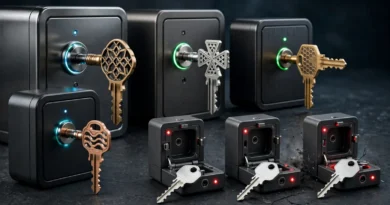
Hardware security keys turn account authentication into something physical. Instead of receiving a code and typing it into a login page, the user connects or taps a small device and proves possession of a cryptographic credential. For people accustomed to free SMS codes and authenticator apps, buying dedicated hardware can seem excessive. The value becomes clearer when the cost of losing a critical account is high.
02 What Changed?
Modern security keys commonly support standards from the FIDO ecosystem, including authentication designed to resist ordinary credential phishing. Because the authentication is associated with the legitimate website or service, a fake login page cannot simply collect a reusable one-time code and replay it in the same way it might with some traditional methods.
Support has expanded across major email, cloud, developer, social and enterprise platforms. Passkeys also use related public-key concepts, meaning security keys can sometimes serve as portable authenticators for passwordless sign-in as well as second factors.
03 Why It Matters
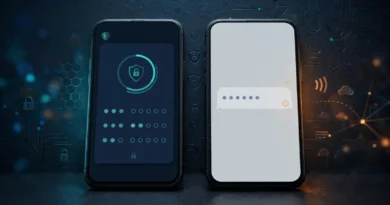
Security keys address an important weakness in code-based 2FA: users can still be tricked. A convincing phishing site can ask for a password and then immediately ask for the six-digit code. A hardware key using phishing-resistant authentication verifies the legitimate service as part of the process, making that relay attack substantially harder.
The trade-off is logistics. A physical key can be lost, forgotten or damaged. Compatibility also matters: your devices may use USB-C, USB-A, NFC or other interfaces. A key that is secure but unavailable when you need to sign in can become an operational problem.
04 What It Means for You
Hardware keys are most compelling for primary email, password managers, financial or administrative accounts, developer access, business systems and anyone at elevated phishing risk. Before buying, verify that your important services support the relevant authentication standard and that the key connects to the phones and computers you actually use.
Register at least two keys on critical accounts when possible. Keep one accessible for normal use and store the backup securely in a separate location. Save recovery codes as another controlled fallback. Label keys in your own records so you know which accounts they protect without putting sensitive account information directly on the device.
05 Numbers + Context
If one security key costs $30 to $60, buying two may cost $60 to $120. That is more than a free authenticator app, but the comparison changes for an account whose compromise could expose years of email, business access or password resets for dozens of other services. The purchase is closer to a small insurance-like security investment than an ordinary gadget upgrade.
CISA promotes phishing-resistant MFA, and FIDO documentation explains the public-key standards used by compatible security keys. Check each service’s current enrollment and recovery instructions because support and permitted key counts can differ.
06 Earnyx Takeaway
Most people do not need a hardware security key for every account. They are especially valuable for the few accounts that sit at the center of your digital life. If you use one, budget for redundancy rather than buying a single key and creating a new lockout risk. Strong security works best when the legitimate owner has a secure backup path too.