
Two-Factor Authentication: The Extra Login Step That Can Protect Your Accounts
Two-factor authentication, usually shortened to 2FA, adds a second proof of identity after a password. That extra step matters because passwords can be stolen through phishing, reused across breached services, guessed, or exposed by malware. If an attacker has only the password, a properly configured second factor can still block the login.
Table of Contents
What two-factor authentication actually does
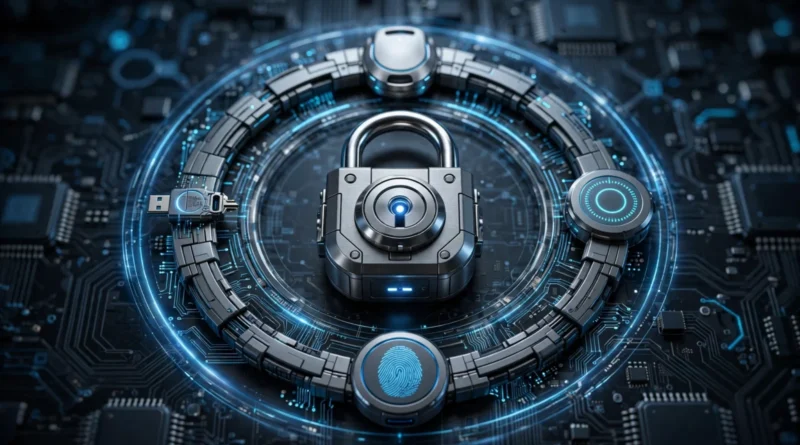
Authentication factors generally fall into categories such as something you know, something you have, or something you are. A password is something you know. A security key or phone can be something you have. A fingerprint or face scan can be something you are. Two-factor authentication combines independent factors so one stolen credential is less likely to be enough.
The U.S. Cybersecurity and Infrastructure Security Agency recommends multifactor authentication as an important account-security measure and explains why strong authentication and password practices reduce account risk.
Not every 2FA method provides the same protection
SMS codes are widely available and usually better than relying on a password alone, but text messages can be vulnerable to phone-number takeover and phishing. Authenticator apps generate time-limited codes on a device and do not depend on receiving a text message. Push approvals can be convenient, although users should never approve a login they did not initiate.
Hardware security keys and passkey-based methods can provide stronger phishing resistance because the authentication is tied more directly to the legitimate service. Availability varies by account, so use the strongest option the service supports and that you can recover reliably.
Start with the accounts that could cause the most damage
Email should be near the top of the list because it often controls password resets for other services. Financial accounts, cloud storage, social media, work systems and accounts containing payment information also deserve priority. Protecting a low-value forum account while leaving the primary email account password-only reverses the risk hierarchy.
Review the security settings for each important account and enable 2FA or multifactor authentication where available. Do not assume it is enabled merely because the service occasionally sends verification messages.
Recovery planning is part of 2FA
A second factor can protect you from attackers, but it can also lock you out if the only enrolled device is lost. When a service provides backup codes, store them somewhere secure and separate from the device used for authentication. Add a second security key or another approved recovery method when the account supports it.
Before replacing or resetting a phone, verify that authenticator accounts will transfer correctly. Some authenticator apps offer encrypted backup or account synchronization; others require manual migration. Test the process before erasing the old device.
Beware of approval fatigue
Some attacks repeatedly trigger push notifications hoping the account owner will eventually tap approve. Treat an unexpected authentication prompt as a warning, not an inconvenience. Deny it, change the password if compromise is suspected, and review recent account activity.
Likewise, never read a one-time code to someone who contacted you unexpectedly. A criminal who already knows your password may ask for the code while attempting to sign in at the same moment.
2FA does not fix weak account hygiene by itself
Multifactor authentication should complement unique passwords rather than replace them. If the same password is reused across many accounts, a breach at one service creates opportunities elsewhere. Earnyx’s guide to using unique passwords for every account explains why reuse turns one exposed credential into a broader security problem.
A password manager can make unique credentials practical. Earnyx also compares free password managers with paid family plans for households deciding how much sharing and recovery functionality they need.
What about passkeys?
Passkeys can reduce reliance on traditional passwords and are designed to resist common phishing attacks. They are increasingly supported across major platforms, but migration is gradual and many users will continue managing a mix of passwords, passkeys and 2FA for years. Earnyx’s passkeys versus passwords guide explains the practical differences.
The presence of a passkey does not mean recovery planning becomes unnecessary. You still need to understand how credentials sync, what happens when a device is lost, and which recovery mechanisms the service provides.
A simple rollout plan
Begin with your primary email account, then financial services, cloud storage, social media and work accounts. For each service, choose the strongest practical method, save recovery information, and verify that contact details are current. After that, expand to shopping, entertainment and other lower-risk accounts.
This staged approach avoids trying to secure dozens of accounts in one session. It also ensures the most consequential accounts receive protection first.
Earnyx takeaway
Two-factor authentication is valuable because it changes a stolen password from a complete key into only one part of the login. Use phishing-resistant methods when available, protect your email and financial accounts first, and store recovery options safely. The best security setup is not merely difficult for an attacker to enter; it is also designed so the legitimate owner can recover access without weakening the protection.


Pingback: Passkeys vs Passwords: Is Passwordless Login Better?