Fiber vs DSL: When Is Upgrading Your Home Internet Worth It?
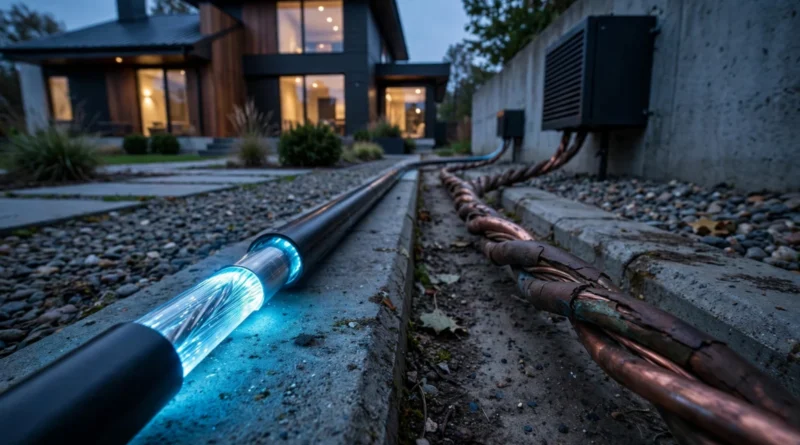
Fiber and DSL can both provide home internet, but they are built on very different access technologies. DSL sends data over copper telephone lines, while fiber uses optical fiber to carry data with much greater capacity.
That technical difference can matter for speed, upload performance, consistency and how well the connection handles a household with several simultaneous users. But an upgrade is only worth paying for when it solves a real problem or delivers enough extra value to justify the higher total bill.
Table of Contents
What DSL is good at
DSL can still be perfectly usable for basic browsing, email, standard streaming and lighter household activity when the connection is stable and the available speed matches demand.
Its main advantage is availability in places where telephone infrastructure already exists and newer wired options have not reached every address. A household with modest bandwidth needs may gain little from paying substantially more just to replace a DSL connection that already performs reliably.
Where DSL can become limiting
DSL performance can depend heavily on the condition and length of the copper line between the home and the provider’s equipment. In some locations, that means speeds are modest and upload capacity is especially limited.
Those limitations become more noticeable when several people are streaming, joining video calls, backing up files, uploading media, or downloading large software and game updates at the same time.
What fiber changes
Fiber connections can support far more capacity than legacy copper access. Many residential fiber services also provide stronger upload performance than DSL, which matters for cloud backups, large file transfers, remote work, content creation and livestreaming.
Fiber can also provide more headroom as household demand grows. The value is not merely that a speed test displays a bigger number; it is that multiple demanding activities can occur at once without one user consuming nearly all available capacity.
Download speed is only one part of the comparison
Most internet advertising emphasizes download Mbps, but households should also compare upload speed, latency, reliability, data policies, equipment charges, installation costs and the recurring price after promotions end.
Earnyx’s guide to download speed vs upload speed explains why upload capacity can matter disproportionately for remote work and creator workflows.
When fiber is likely to feel meaningfully better
The upgrade case becomes stronger when DSL creates recurring problems: video calls degrade while someone else is streaming, cloud backups take many hours, large uploads disrupt the household, or software downloads occupy the connection for long periods.
Fiber can also be valuable when several people work or study from home simultaneously and reliability has direct economic value.
If the current connection repeatedly limits important tasks, the benefit of fiber is not theoretical. It is the time and frustration saved when those bottlenecks disappear.
When DSL may still be enough
A single-person household that browses, streams one video at a time and rarely uploads large files may not need a high-capacity fiber plan. If the DSL service is reliable, inexpensive and comfortably handles peak use, an upgrade may produce little noticeable benefit.
This is especially true if fiber requires a substantial installation charge or a much higher monthly rate.
Use annual cost, not only monthly price
Suppose DSL costs a hypothetical $45 per month and fiber costs $70. The difference is $25 monthly, or $300 per year before equipment or installation fees.
The right question is whether the fiber upgrade produces at least $300 per year of practical value to the household through time savings, reliability, stronger work performance or better simultaneous use.
These figures are examples, not current provider quotes. Actual pricing should be checked at the service address.
Promotional rates can hide the later bill
An introductory fiber offer may make the upgrade look inexpensive for the first year. Compare the regular recurring price after any promotion ends, along with equipment rental, taxes where applicable, installation and optional services.
The FCC requires many broadband providers in the United States to display Broadband Consumer Labels, which are designed to make pricing and service information easier to compare.
Fiber does not fix bad Wi-Fi
One of the most common upgrade mistakes is assuming that a faster connection will automatically fix weak wireless coverage inside the home. If the bedroom is far from the router or separated by difficult walls, the problem may be Wi-Fi rather than the ISP connection.
Before upgrading, test performance close to the router or through a wired Ethernet connection if practical. If the internet service is fast near the router but weak elsewhere, better router placement, mesh Wi-Fi or improved in-home networking may deliver more value than a faster plan.
Earnyx’s guide to Mbps vs real-world internet performance covers this distinction in more detail.
Remote work raises the value of reliability
For a household using internet primarily for entertainment, a temporary slowdown is inconvenient. For someone who depends on video meetings, remote desktop access, client uploads or cloud systems for income, poor connectivity can have a direct work cost.
That can justify paying more for a connection that offers better upload capacity and consistency, even when the existing DSL plan technically meets basic browsing needs.
Do not buy the fastest fiber tier automatically
Choosing fiber and choosing the maximum available fiber speed are separate decisions. A moderate fiber tier may already remove the DSL bottleneck while costing materially less than a gigabit or multi-gigabit plan.
Estimate your busiest realistic hour—perhaps two streams, two video calls, a game download and several phones—then choose enough capacity for that workload with reasonable headroom.
Installation and equipment matter
Some fiber installations require new equipment, an optical network terminal, drilling or new cable routing. Ask what the provider owns, what you are responsible for, whether equipment carries a monthly rental charge and what happens if you move.
Those one-time and recurring costs belong in the upgrade calculation.
Availability can determine the answer
Broadband technology is highly location-specific. One household may have several fiber providers while a nearby address has only DSL, cable or fixed wireless.
Compare the actual plans available at your exact address rather than assuming that a provider’s general marketing applies to your home.
Alternatives may compete with both
If DSL is too slow but fiber is unavailable or expensive, cable and fixed wireless can be viable alternatives depending on local infrastructure and signal conditions.
Earnyx’s cable vs fixed wireless comparison explains how those options differ in consistency, installation and capacity.
Bottom line
Fiber is a major technical upgrade over DSL, especially for upload-heavy work, multiple simultaneous users and households where internet reliability has real value. But the upgrade is not automatically worth any price.
Start with the bottleneck your current DSL service creates. Compare actual address-specific pricing, upload and download performance, equipment costs, promotional terms and the condition of your home Wi-Fi. If fiber eliminates recurring limits at a reasonable annual premium, the upgrade can be easy to justify. If DSL already handles your real workload reliably, keeping the cheaper connection can still be the stronger value.