
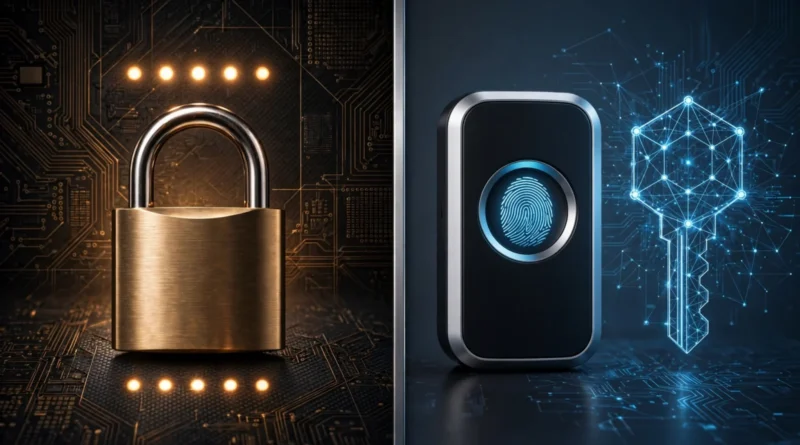
Passkeys vs Passwords: Is Passwordless Login Actually Better?
Table of Contents
01 Event
Passkeys are appearing across major websites, operating systems and devices as an alternative to traditional passwords. Instead of remembering a secret string and sending proof of it during login, a passkey uses public-key cryptography and is typically unlocked with the same biometric or device credential you already use on your phone or computer.
For consumers, the appeal is straightforward: fewer passwords to remember and less reusable information that can be stolen through a fake login page.
02 Passwords and Passkeys Solve Login Differently
Password authentication depends on a shared secret. You know the password, and the service stores information needed to verify it. That model has familiar weaknesses: people reuse passwords, choose predictable ones, reveal them to phishing sites or have them exposed through compromised systems.
A passkey uses a cryptographic key pair instead. The service receives a public key while the corresponding private key remains under the user’s control. The login process proves possession of the private key without sending a reusable password to the website.
03 Why Phishing Resistance Matters
A strong random password can be extremely difficult to guess and still be vulnerable to phishing. If a user types it into a convincing fake website, the attacker can receive the correct password directly.
Passkeys are designed to be bound to the legitimate service, so the credential is not simply copied into an unrelated phishing site. That changes one of the most common failure modes of traditional passwords.
The FIDO Alliance passkey resources explain how passkeys are built on FIDO authentication standards, while the W3C Web Authentication specification describes the underlying WebAuthn model.
04 Passkeys Also Reduce Password Reuse
People often reuse passwords because remembering a unique complex password for every account is unrealistic without a password manager. Reuse creates a chain reaction: if one service is breached, attackers can try the same email-and-password combination elsewhere.
Passkeys avoid that specific behavior because users are not creating one memorable secret and copying it across websites.
That does not make account hygiene irrelevant, but it removes one recurring source of credential exposure.
05 A Passkey Is Usually Unlocked Locally
On many devices, a passkey is unlocked using the device’s normal screen-lock method, such as a fingerprint, face recognition or PIN. The biometric itself is generally used to unlock the credential locally; the website does not need to receive your fingerprint or face data as the login secret.
This distinction matters because “biometric login” can sound as though a fingerprint is being transmitted to every service. With passkey systems, the biometric or PIN commonly serves as local authorization to use the private credential stored or synchronized by the device ecosystem.
06 Recovery Becomes the New Practical Question
Passwords have a familiar recovery pattern: reset the password through email, SMS or another verified method. Passkeys can be synchronized through platform credential managers or stored on individual authenticators, depending on the setup.
Before relying heavily on passkeys, understand what happens if your phone is lost, your laptop fails or you move to another platform. Check how the service and credential provider handle synchronization, device replacement and account recovery.
A secure login method can still become frustrating if the owner does not understand the recovery path.
07 Fallback Methods Can Remain the Weak Link
Adding a passkey does not automatically remove every password or recovery option. Some accounts continue allowing password login, SMS recovery or other fallback methods.
If the fallback is significantly weaker than the passkey, an attacker may target the easier path instead. Review the entire account-security configuration rather than assuming that adding the strongest method automatically eliminates weaker ones.
08 Passkeys and Two-Factor Authentication Are Related but Different
Traditional two-factor authentication usually means entering a password and then providing another factor, such as a code, push approval or security key.
A passkey can provide strong authentication without asking the user to type a password first, depending on how the service implements it. The exact authentication experience therefore varies.
Earnyx’s guide to two-factor authentication explains the strengths and trade-offs among SMS codes, authenticator apps, push approvals and phishing-resistant methods.
09 Hardware Security Keys Still Have a Role
Some users prefer a physical security key for high-value accounts because the credential can be kept on a dedicated hardware device rather than synchronized across a broader ecosystem.
That approach can be especially useful for people with elevated security needs, although it creates its own recovery requirement: losing the only key can become a serious problem.
Earnyx’s guide to hardware security keys covers when the additional physical-device approach is worth considering.
10 Passwords Are Not Disappearing Overnight
Many services still depend on passwords, and even services that support passkeys may keep password login during a transition period. Most users will therefore manage a mixed environment for some time.
For accounts that still require passwords, use unique generated credentials and enable strong multifactor authentication where available. Passkeys should improve the accounts that support them without becoming an excuse to neglect the rest.
11 Device Security Matters More With Passkeys
If your phone or computer can unlock synchronized passkeys, protecting that device becomes especially important. Use a strong device lock, keep operating-system security updates current, and avoid leaving important devices unlocked or unattended.
The credential can be phishing-resistant while the device itself remains part of the security boundary.
12 Shared Devices Need More Thought
Families and workplaces should consider who can unlock the device or credential manager that holds passkeys. A passkey on a shared computer may create different access considerations from one stored on a personally controlled phone.
For business accounts, organizations may also have administrative policies governing credential enrollment, recovery and device management. Users should follow those rules rather than assuming a personal passkey setup is appropriate for every work system.
13 Are Passkeys Easier?
For routine login, they can be. A user may select an account and approve with the same biometric or PIN already used to unlock the device, avoiding password entry and one-time codes.
But convenience depends on ecosystem support and recovery design. A smooth login experience on one set of devices can become more complicated when switching platforms or trying to regain access after a device loss.
The practical value therefore comes from both stronger authentication and a well-understood recovery path.
14 A Good Migration Strategy
Start with important accounts that support passkeys well: primary email, major cloud accounts, password managers and financial or work services where available. Add the passkey, review the remaining login methods, and confirm how recovery works.
Do not remove a fallback method until you are confident that your replacement access path is reliable. If the account supports multiple passkeys or security keys, consider a backup where appropriate.
15 Bottom line
Passkeys are not better because passwords suddenly became easy to crack. They are better at removing several behaviors that make passwords fail in practice: reuse, memorization pressure and ordinary credential phishing.
Adopt passkeys where they are well supported, protect the devices or credential managers that hold them, and inspect the fallback and recovery methods too. For accounts that still depend on passwords, continue using unique credentials and strong multifactor authentication. The strongest login system is the one that resists attackers while still giving the legitimate owner a reliable way back in.