
Backup Codes: The Account-Recovery Tool You Should Store Before You Need It
Table of Contents
01 Event
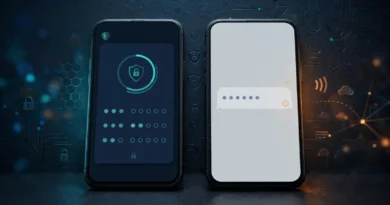
Turning on two-factor authentication makes an account harder for an attacker to enter, but it also means the legitimate owner depends on a second factor. Phones break, authenticator apps can be lost during device replacement, and hardware keys can disappear. Backup codes exist for exactly that moment: pre-generated recovery credentials that can substitute for the normal second factor when ordinary authentication is unavailable.
02 What Changed?
As multifactor authentication became common, services needed a way to prevent stronger login security from turning ordinary device loss into permanent account loss. Many platforms therefore provide a set of one-time recovery codes when 2FA is configured. These codes are intentionally powerful. Depending on the service, a single code may allow a login without the usual phone, app or security key.
That power creates a security trade-off. Backup codes improve resilience but become an alternate path into the account. Storing them carelessly can undermine the stronger authentication they are supposed to support.
03 Why It Matters
Imagine your phone is stolen while traveling. Your password is known only to you, but the authenticator app was on that phone. Without a recovery method, you may be unable to access email, travel reservations or other important services precisely when you need them. A securely stored backup code can restore access.
Now reverse the scenario. If the backup codes are saved in an unprotected note beside the password, an attacker who obtains that file may have both factors needed to enter. Recovery material should therefore be separated from the credential it is designed to rescue.
04 What It Means for You
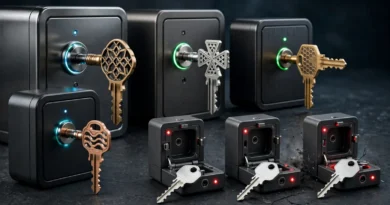
Generate backup codes for critical accounts that support them and store them somewhere you can reach during device loss. Options can include a securely protected password manager, an encrypted offline record or a physical copy stored in a secure location. The right method depends on your risk and accessibility needs.
Do not send backup codes through ordinary chat or email simply for convenience. Mark used codes if the service does not automatically invalidate them visibly, and regenerate the set if you suspect it has been exposed. When a new set is generated, destroy obsolete copies so you do not depend on credentials that no longer work.
05 Numbers + Context
A service may issue several one-time codes, but the exact number and format vary. The important characteristic is not how many you receive; it is that each represents a limited recovery opportunity. If you have eight codes and use one, think of the remaining seven as emergency keys rather than ordinary login shortcuts.
NIST’s broader digital identity guidance emphasizes recovery as part of the authentication lifecycle, while major account providers document their own backup-code behavior. Always follow the service-specific instructions because regeneration, expiration and one-time-use rules differ.
06 Earnyx Takeaway
Backup codes are easy to ignore because they solve a problem you do not have today. That is exactly why they should be prepared now. Strong authentication needs a secure recovery plan, and backup codes can provide one without relying on the same phone or device you may lose. Store them like spare keys: accessible to you, difficult for everyone else to find, and never casually shared.