Authenticator Apps vs SMS Codes: Which 2FA Method Is Safer?
Table of Contents
01 Event
Many services offer a choice when you enable two-factor authentication: receive a verification code by text message or generate one in an authenticator app. Both options add a barrier beyond the password, but they rely on different delivery systems and face different risks. For users trying to improve account security without making everyday login unnecessarily difficult, understanding that difference matters.
02 What Changed?
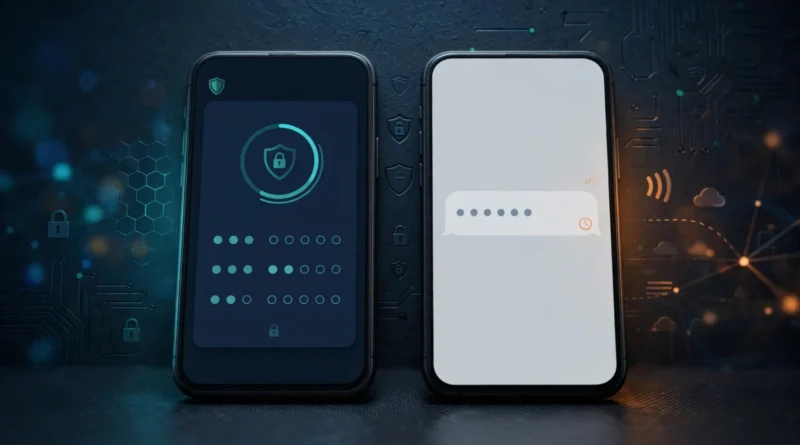
SMS became popular because nearly every mobile phone can receive text messages. It requires little setup and works without installing another app. Authenticator apps instead generate time-based one-time passwords locally after an account is enrolled, so the code does not need to travel through the cellular messaging network each time you sign in.
Security guidance has increasingly distinguished between forms of multifactor authentication rather than treating all 2FA as equivalent. SMS remains useful, especially when it is the strongest option a service offers, but stronger phishing-resistant methods such as passkeys and hardware security keys are increasingly available for high-value accounts.
03 Why It Matters
SMS depends partly on control of a phone number and the mobile network. Attacks such as SIM swapping can attempt to redirect a victim’s phone service, potentially exposing texted verification codes. Authenticator apps remove that particular delivery channel because the secret used to generate codes is stored on the enrolled device or within the app’s protected backup system.
Authenticator codes are not immune to phishing. A fake site can ask for a current code and immediately relay it to the real service. The app therefore improves some risks without providing the same phishing resistance as authentication methods cryptographically tied to the legitimate site.
04 What It Means for You
If a service offers only password or SMS 2FA, enable SMS rather than leaving the account password-only. If it also offers an authenticator app, the app is generally a stronger choice against phone-number takeover. For especially important accounts, check whether security keys or passkeys are supported.
Before moving to an authenticator app, understand backup and migration. Losing the only phone holding your authenticator data can create a recovery problem. Save service-provided backup codes, enable a secure authenticator backup if you choose to use one, or enroll an additional approved authentication method.
05 Numbers + Context
Both methods typically add one more credential to the login process, but their attack surfaces differ. SMS adds dependencies on the mobile account, carrier processes and message delivery. An authenticator app removes those dependencies for code generation but still depends on device security and account recovery. The comparison is therefore about reducing specific failure paths, not declaring one technology invulnerable.
NIST digital identity guidance has historically treated public switched telephone network delivery as a restricted authentication method, while CISA encourages stronger, phishing-resistant MFA where available. Those recommendations support a practical hierarchy: use the strongest method a service offers and that you can recover reliably.
06 Earnyx Takeaway
Authenticator apps are generally preferable to SMS codes when both are available because they avoid several risks tied to phone-number control. But SMS 2FA is still better than no second factor on an account that offers nothing stronger. The bigger upgrade is to stop thinking of 2FA as one uniform feature and start choosing the strongest practical authentication method for the accounts that matter most.